
From request to record in four steps
Request and receive a Trustd Carrier Packet
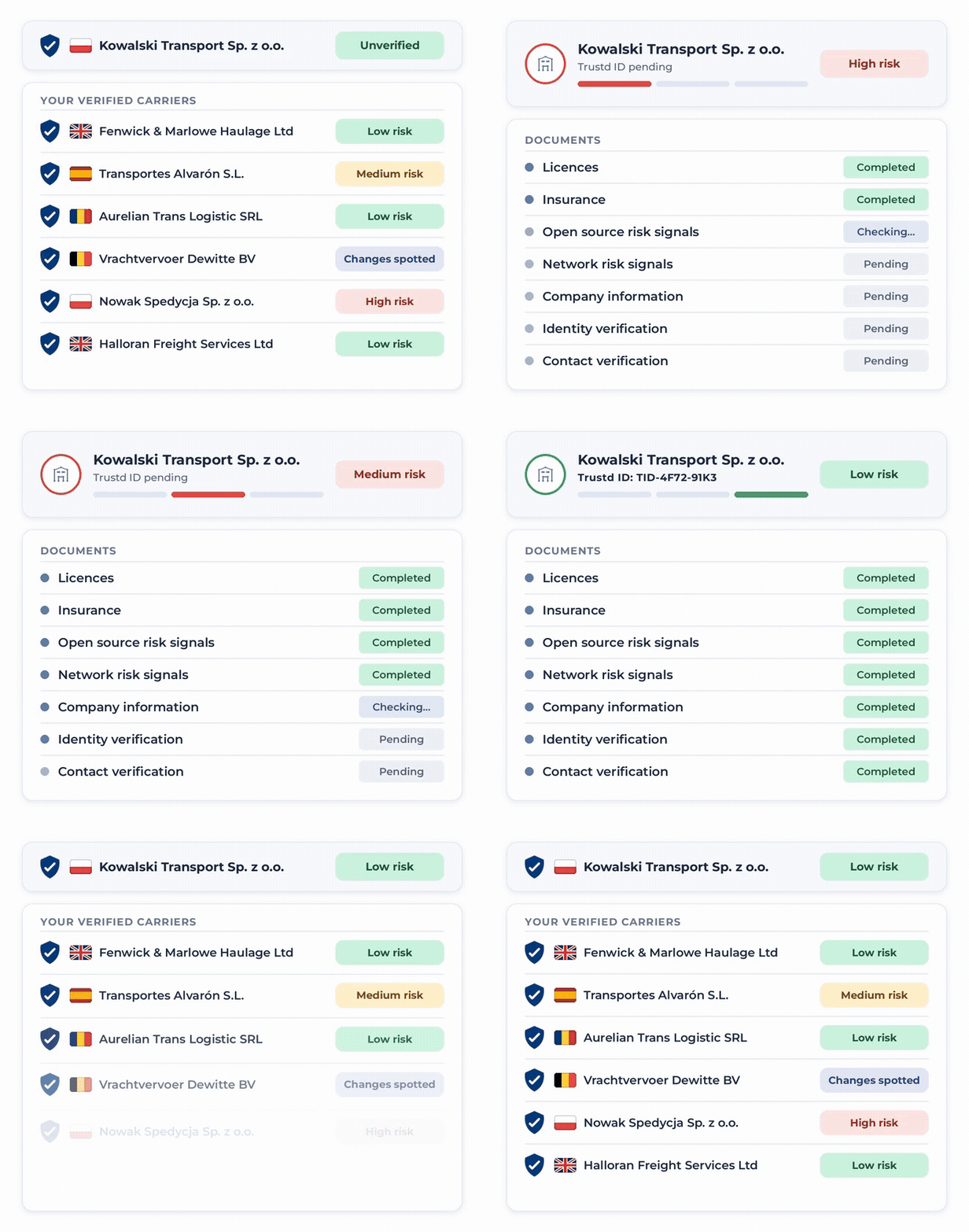
Copy Trustd into the email thread with a new carrier to request its Trustd Carrier Packet. When the carrier shares it, you receive an email with their company details, risk rating and an overview of their completed verification checks.
Review their credentials
Follow the link in the email to access the carrier's Trustd profile. You can see the status of their checks, including identity, company registration, tax ID, insurance and transport licence.
Access supporting documents
View the carrier's supporting documentation directly, including operator licences and insurance certificates, so you have the information you need to assess their credentials.
Download and retain the packet
Download a consolidated PDF containing the carrier's details, verification results and supporting documents, ready to save or share with your team.
One standard for every carrier, from the first email to the last subcontractor
Carrier Packet brings a new carrier’s checked details into the email thread where you agree the load. Network Look-Through shows who your carriers subcontract to, so the standard you set applies to the whole chain. Tenancy gives your team one workspace for every carrier’s profile, credentials and documents.
Carrier Packet
Request verification and documents from a new carrier by copying Trustd into your email chain.
Network Look-Through
Verify each operator in your carriers’ subcontractor chain so you know who is really moving each load.
Tenancy
A Trustd tenancy is a dedicated workspace where a business can access, manage and review carrier profiles, credentials and compliance documents.
How the carrier check changes
Company details, a risk rating and the checks behind it

Built for the people who check carriers
Road Freight Team
Makes the bookings and checks carriers day to day. A new carrier often arrives as part of a booking request, so the check has to fit inside that booking.
What you get: a way to request verification and documents from a new carrier without leaving the email chain.
Head of Compliance
Owns the carrier onboarding process. Onboarding needs one standard that every booker follows, and a record that shows it was followed.
What you get: a standard you set for your carriers, and a view of who is moving your freight.
Head of Security
Owns theft and loss risk. Freight theft at collection is harder to prevent when the carrier was never checked before its first load.
What you get: documents and checks on a new carrier before it collects a load.
Compliance-ready
Trustd runs 25+ checks across identity, licensing, right to work, business status, and vehicle compliance, then keeps checking.
Trustd manages verified business profiles for over 18,500 transport carriers operating across the UK, Poland and Romania.
18,500+
Carrier businesses verified
3m+
Verified data points
25+
Checks per profile


Part of the Trustd platform
Trustd Fleet works alongside Trustd Loads and Trustd Network so you can verify drivers, keep fleets compliant, and vet carriers from one place.

Trustd Loads
The tools to ensure every delivery and collection is verified.

Trustd Fleet
Vet and monitor the carriers moving your freight.
Frequently asked questions
The carrier chooses to send it. Nothing is shared without the carrier starting it, and Trustd only sends packets in response to a carrier's email.
That depends on your standard. If packets are a condition of booking, the booking waits until one is shared. If they are optional, you keep the information you have today.
Carriers enroll once with Trustd and can share a packet with each forwarder that asks for one. Their profile is theirs, not yours.
The email arrives in the thread you're already in, and the link goes to packet.trustd.net. If anything looks wrong, don't click. Reply to the carrier and ask them to confirm.
Trustd runs its checks when the carrier shares the packet, so the packet reflects Trustd's records at that point.
24 hours from when the carrier shared it. Ask the carrier for a fresh one after that.
We record that you accessed the packet, and we may contact you about Trustd. Full detail is in our Privacy Policy.